Choose the controls that suit the room
A Home Assistant dashboard can already control your media devices. Tactra is useful when you want a dedicated remote with a large volume control and separate destinations for navigation, audio, and playback on your Apple devices.
Keep a dashboard when it does the job
A dashboard is a good fit when you want media controls beside temperatures, cameras, lights, and custom cards. It also gives you room to build a household-specific view. If your existing media card does everything you need and is easy to use, you do not need another interface.
Use Tactra for a dedicated remote
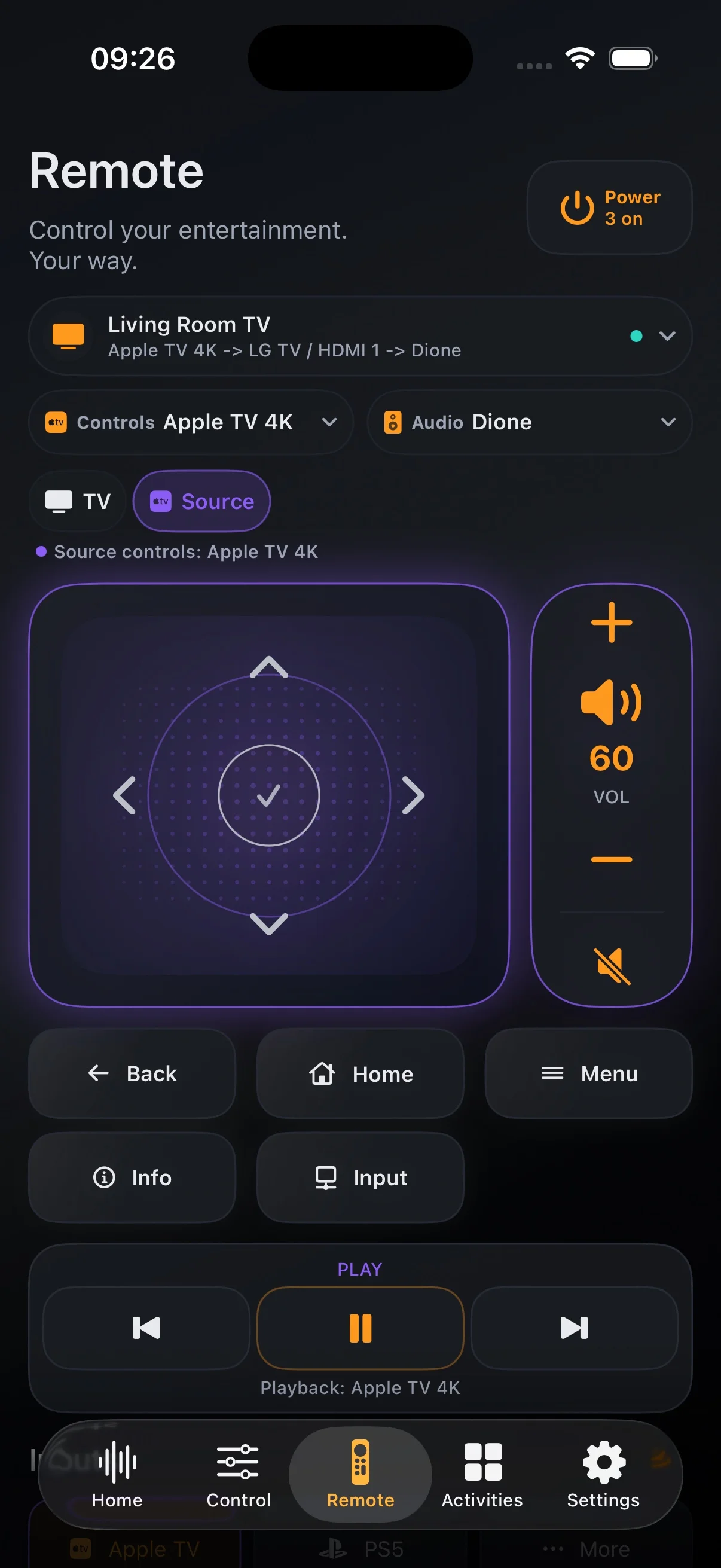
Consider a TV connected to Apple TV and a receiver. In Tactra, set Apple TV as the Remote and Playback targets and the receiver as the Audio Target. The Remote screen then keeps navigation and receiver volume together. The Control screen gives the audio device a dedicated rotary control when supported.
The difference is the interaction and layout. Tactra still depends on the capabilities exposed by Home Assistant. It does not repair an unavailable integration or replace Home Assistant administration.
Keep the same devices and automations
Both interfaces can use the same Home Assistant entities. Keep a reliable room-startup script in Home Assistant and use Tactra to launch it through the appropriate setup action. There is no need to rebuild that automation solely to use a different remote.
You can use a dashboard for the wider home and Tactra for media. Choose based on your repeated actions: switching sources, adjusting receiver volume, navigating a player, or reaching a quick control from the Watch.
Before buying, check the capabilities your setup exposes. For a practical trial of the configuration, read the TV and receiver walkthrough.