Volume control from your wrist
Set up with your paired iPhone, then control Home Assistant over the Watch’s own network connection. Setup Start/End sequences and controls for devices connected directly to Tactra still need a reachable iPhone. Supported actions depend on your devices. Cached state does not guarantee a working connection.
1. Install the companion
Install Tactra on the paired iPhone and complete the connection setup. Test volume or playback from the phone first.
If Tactra is not on your Watch, open Apple's Watch app on the iPhone, find Tactra among the available apps, and install it. The Watch needs watchOS 26 or later. Keep the phone and Watch connected.
2. Load your devices
Open Tactra on the iPhone, then open Tactra on the Watch. Use the refresh control if the device list is empty or out of date. Select a device under Devices.
3. Try a small volume adjustment
On the device screen, adjust volume with the Digital Crown when absolute-volume control is supported. Use the available mute or playback controls as needed. Check the actual device to confirm the result.
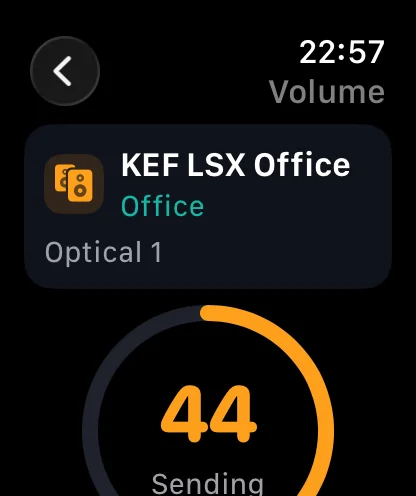
If the Watch says to open Tactra on iPhone
- Open Tactra on the paired iPhone and confirm that Home Assistant is reachable.
- Test the same device and action on the phone.
- Check the connection between the Watch and iPhone, then refresh Tactra on the Watch.
- Confirm that the device is still available and selected as intended.
If the phone also fails, troubleshoot the Home Assistant connection first. If only the Watch fails, contact support with both Apple platform versions and the message shown on the Watch.