
Put receiver volume on the right control
When your receiver or soundbar produces the sound, it should receive volume and mute commands. The TV or streamer can keep handling navigation. This walkthrough uses a receiver connected to a TV; the same role distinction applies to a soundbar.
1. Confirm receiver control in Home Assistant
Open the receiver's media-player entity in Home Assistant. Try a small volume change, mute, and the input you want to select. Restore a comfortable listening level before continuing.
A device with volume up/down support does not necessarily support an absolute volume level. Source selection also requires an available source list. Resolve failures in Home Assistant before adding another route in Tactra.
2. Choose the Audio Target
In Tactra, open Control and choose the receiver under Audio Target. Adjust volume slightly and check the receiver's display or sound level. Try mute, then unmute.
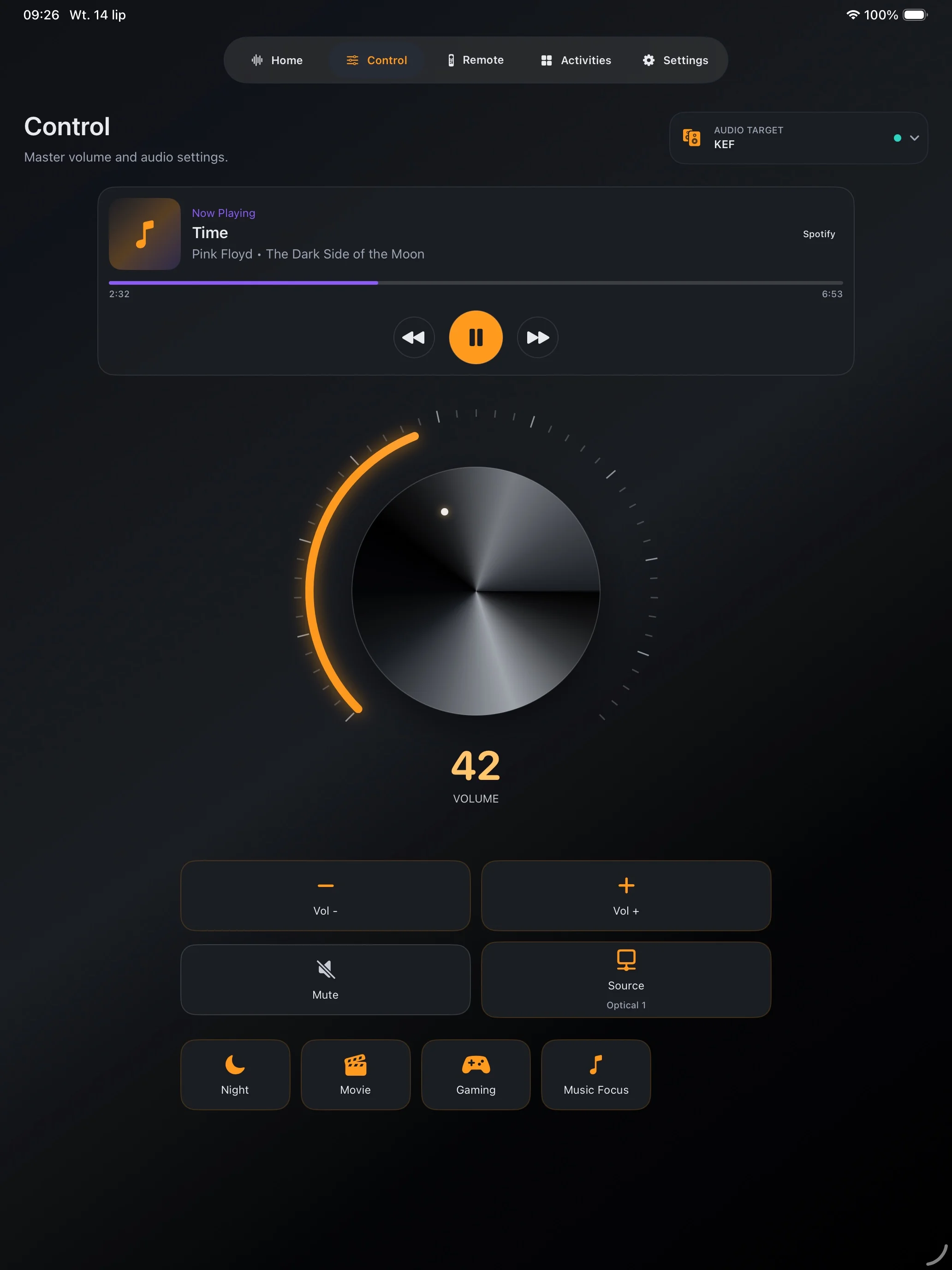
For repeated use, save the receiver as the audio device in Settings → Media Systems. Keep the TV or streamer as the Remote Target. Follow the TV and receiver example to set all roles together.
3. Select a working input
Use the source selector for a source exposed by the selected device. Match the name shown in Home Assistant; labels such as HDMI inputs or Optical come from your equipment and integration.
If the room needs both a TV input change and a receiver input change, configure the Media System accordingly and test each device separately. Changing one device's input does not prove the other changed.
4. Add power actions only where needed
Use the Media System's On and Off configuration for its power actions. Reuse a tested Home Assistant scene or script when it already controls the sequence. Wake-on-LAN requires working network and equipment support; adding the action does not make an unreachable device wake automatically.
Diagnose a missing or incorrect control
- No volume knob: check absolute-volume support and whether a current reading is available.
- Volume changes on the TV: check Audio Target and custom command mappings.
- An input is missing: inspect the selected entity's source list in Home Assistant.
- State changes after a delay: compare Home Assistant's reported state with the device before sending repeated commands.
The support checklist explains which details help reproduce an issue without sharing credentials.